



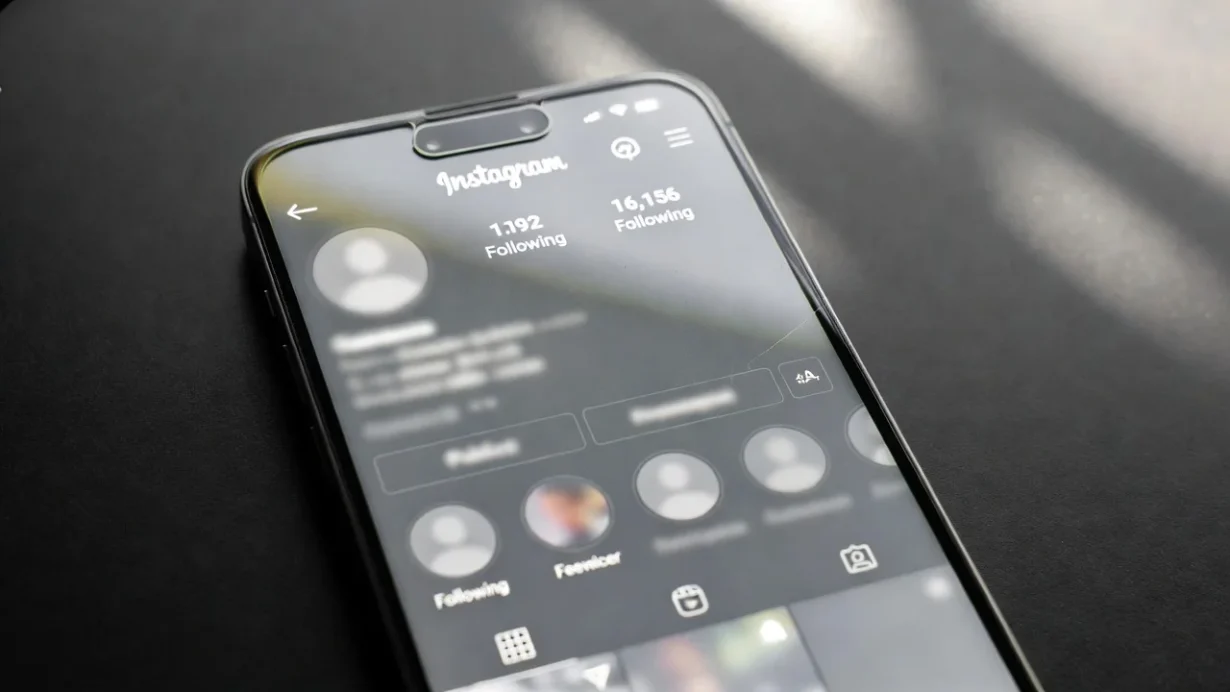

In today’s hyper-connected digital world, privacy has become a top priority, even on social platforms like Instagram. If you’re asking how to hide your following list on Instagram without a private account, you’re not alone.
Unfortunately, Instagram doesn’t offer a direct setting to do this on a public profile. However, there are strategic ways to limit who can see your list without fully switching to private.
You can’t completely hide your following list on a public Instagram account, but you can restrict specific users from accessing it through features like blocking, removing, or limiting interactions.
Key points:
- Instagram doesn’t support full privacy for public accounts.
- You can’t globally hide your following list without going private.
- You can hide your following list from specific people using block, restrict, or remove.
Let’s dive into the complete guide.
Why Would Someone Want to Hide Their Following List on Instagram?
There are many reasons why Instagram users prefer to keep their following list out of public view. For personal users, it’s often about avoiding judgment or curiosity.
For public figures, it can be about managing perception. And for businesses, it’s about protecting their strategy or network.
Some common motivations include:
- Privacy concerns: Prevent stalkers or nosy followers from seeing your connections.
- Reducing drama: Avoid unnecessary messages or jealousy over who you follow.
- Preventing copycats: If you’re a brand or influencer, you may not want others to see who you’re networking with.
- Online safety: Keeping your digital footprint smaller to avoid unwanted attention.
Instagram may be a social platform, but your relationships and interactions don’t need to be fully visible to the world.
Is It Possible to Hide Your Following List Without Making Your Account Private?
The short and direct answer is no, you cannot completely hide your following list if your Instagram account is public. Instagram doesn’t currently offer a feature that allows users to hide their “Following” section from all viewers while maintaining a public profile.
However, there are workarounds.
Instagram provides several tools that, when used together, allow you to restrict specific people from seeing who you follow without setting your entire account to private. This means if there are just a few people you don’t want viewing your following list, you have options.
Instagram is also reportedly testing privacy features in select regions that may allow more granular control over follower and following lists in the future. But until then, the methods outlined in this guide are your best options.
What Are the Risks of Trying to Hide Your Following List on a Public Account?
Before applying privacy workarounds, it’s important to acknowledge the limitations and potential downsides. While the tools available can help manage visibility, they aren’t foolproof, and in some cases, they may cause unintended consequences.
Most notably:
- False sense of privacy: Unless your account is private, there is always some level of visibility. For instance, mutual followers can still view parts of your network.
- Broken relationships: Blocking or removing people might raise suspicion or cause interpersonal conflict.
- Third-party app risks: Some tools claim to offer complete privacy features, but these can jeopardize your account security or violate Instagram’s terms.
- Limited scalability: Hiding your following list manually by blocking users is not feasible if you have thousands of followers or a large public audience.
Understanding these risks helps you choose the most appropriate strategy based on your specific goals.
What Are the Best Workarounds to Hide Your Following List Without Going Private?
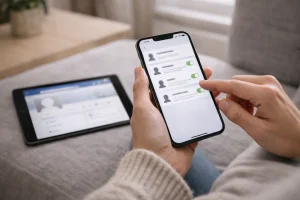
Since Instagram doesn’t allow public accounts to completely hide their following lists, your best option is to apply targeted privacy controls that help manage who can access your profile and view your social connections.
These methods won’t fully hide your following list from everyone, but they will reduce visibility for specific individuals, giving you greater control over your audience without switching to a private account.
1. Restrict Users
Instagram’s Restrict feature allows you to silently limit someone’s interaction with your account, perfect for handling sensitive relationships without unfollowing or blocking them.
- Comments from restricted users are only visible to them until you manually approve.
- Their direct messages are moved to Message Requests, so they won’t appear in your primary inbox.
- They will not see your online status or activity confirmation.
- When used with story privacy tools, this can significantly reduce what they see, including your following list indirectly.
Ideal for:
- Acquaintances you don’t want to block.
- People are prone to overstepping boundaries.
- Managing social ties without causing offence.
2. Block Specific Accounts
This is the most effective and definitive method to prevent someone from accessing your profile entirely, including your following list, followers, posts, and stories.
- They are completely cut off from your content.
- They cannot find your profile through search or direct links.
- Instagram does not send notifications when a user is blocked.
This method is highly recommended for:
- Online harassment or stalking situations.
- Spammy or suspicious followers.
- Past connections you no longer trust.
3. Remove Followers
Removing followers is a gentle, low-friction way to limit access to your content without the harshness of a block.
- The person will no longer see your posts in their feed or have direct access to your stories (if stories are set to “Followers Only”).
- They aren’t notified and may not notice immediately.
- It works best when paired with story visibility settings, like Hide Story From or Close Friends.
Use this for:
- Inactive or unknown followers.
- Quietly curating your audience.
- Reducing profile exposure without hurting engagement metrics.
Comparison of Privacy Methods:
| Method | Visibility Blocked | User Notification | Best For |
| Restrict | Comments, messages, activity | No | Soft boundaries and subtle filtering |
| Block | Entire profile and activity | No | Full disconnection and safety |
| Remove | Feed and story access removed | No | Silent follower management |
Each of these options is non-intrusive and does not notify the user, allowing you to manage visibility discreetly and effectively.
How Do You Restrict Someone to Limit Their Access to Your Following List?
The Restrict feature is one of the most underrated privacy tools on Instagram. It’s designed to provide you with greater control over user interactions without alerting or offending the other person.
Whether it’s an old friend, a passive-aggressive acquaintance, or someone you just don’t want too close, Restrict is your go-to option when you want to set silent boundaries.
Steps to restrict someone
- Go to their Instagram profile.
- Tap the three vertical dots at the top right.
- Select Restrict from the menu options.
This action takes effect immediately and can be reversed anytime.
What happens after restricting someone?
- Their comments on your posts will only be visible to them unless you approve them manually.
- Their DMs are redirected to your Message Requests, meaning you won’t be notified.
- They won’t see when you’re online or if you’ve read their messages.
- If used in combination with other privacy features like Hide Story From, the restricted user will be functionally isolated from your active content.
This feature is ideal for managing awkward social connections, reducing online noise, and limiting access without public fallout.
What Restriction Changes?
| Feature | Before Restriction | After Restriction |
| Comment visibility | Public to all | Visible only to the commenter |
| Direct messages | Delivered to inbox | Sent to Message Requests |
| Activity status | Shown to others | Hidden from restricted users |
| Mentions/Tags | Standard | Can be controlled or limited |
Restrict is best for users you want to keep at a distance without a confrontation.
Can You Block Users to Hide Your Instagram Following List from Specific People?
Yes, you can block users on Instagram to completely hide your following list from specific people, and it’s the most effective way to control who can see your activity. When you block someone, they lose access to your entire profile, not just your following list.
Once blocked, the user can’t view your posts, followers, or following, and your profile will no longer appear in their search results. Instagram also doesn’t notify them, making it a discreet option if privacy or safety is a concern.
Blocking a user is simple. Open their profile, tap the three dots in the top-right corner, select Block, and confirm your choice. Instagram also lets you block just that account or block any future accounts the person may create.
If you want complete invisibility from someone without changing your overall account settings, blocking remains the most reliable solution.
What Happens When You Remove Followers from a Public Instagram Account?
Removing followers is a great way to quietly reduce your audience without completely cutting ties or creating friction. It’s especially useful when you want to keep your profile public but also manage who has instant access.
Here’s what happens when you remove a follower:
- They won’t be able to see your posts in their feed unless they visit your profile manually.
- If your story settings are limited to followers, they’ll lose story access.
- They will not receive a notification that they were removed.
- They can still refollow you, unless you block or restrict them.
This is ideal for:
- Cleaning up followers list.
- Removing ghost or inactive accounts.
- Managing who sees updates without changing privacy settings.
Steps to remove a follower:
- Open your profile and go to Followers.
- Use the search bar to find the specific user.
- Tap Remove next to their name.
Combine this method with Hide Story from or Close Friends for an extra layer of privacy.
Which Instagram Privacy Settings Can Help You Protect Your Following List?
While Instagram doesn’t let you directly hide your following list on a public account, it does provide several privacy settings that help limit visibility and control how others interact with you. Used together, these tools can significantly reduce unwanted attention and indirect access to your activity.
You can turn off Activity Status to stop others from seeing when you’re online, limit Story visibility using Close Friends or Hide Story From, and control who can tag or mention you on the platform. Disabling Similar Account Suggestions also helps reduce how often your profile appears to new users.
Instagram settings for enhanced privacy:
| Feature | Location | Effect |
| Activity Status | Messages & Story Replies | Hides your online status |
| Hide Story From | Story & Reels | Blocks selected users |
| Manual Tag Approval | Tags & Mentions | Reviews tags before display |
| Similar Account Suggestions | Account | Reduces profile visibility |
Together, these settings offer layered privacy without fully locking your account.
What Are the Pros and Cons of Hiding or Limiting Access to Your Following List?
Before hiding or limiting access to your Instagram following list, it’s important to consider how the change may affect both your privacy and your visibility on the platform.
The right choice depends on whether your priority is personal safety, professional branding, or audience growth.
Restricting access can offer peace of mind by reducing unwanted attention and limiting how others track or analyse your activity. However, tighter privacy controls can also influence how your profile is perceived and how easily new users engage with your content.
Pros and cons of limiting your following list:
| Pros | Cons |
| Improved personal privacy | Potential loss of engagement |
| Reduces unwanted attention | May appear secretive to some followers |
| Limits stalking or copying | Slower organic growth for creators |
| Better control over personal space | Not scalable for large accounts |
Use these points to decide whether increased privacy outweighs reduced reach for your specific goals.
When Should You Avoid Hiding Your Followers or Following List?
If you’re an influencer, creator, or business, keeping your following list visible may actually work in your favor.
Consider staying transparent when:
- Building a brand or business: People like to know who you’re connected to.
- Pursuing collaborations: Brands often check follower networks before partnerships.
- Growing organically: Public interaction promotes engagement and trust.
- You don’t mind visibility: If privacy isn’t your main concern, transparency can be a strength.
In these cases, visibility builds credibility. Hide your following list only when privacy outweighs visibility.
What Are the Best Practices to Keep Your Instagram Activity Private Without Using Third-Party Tools?
Instagram provides enough tools natively; there’s no need for risky third-party apps that claim to enhance privacy but may compromise your security.
Follow these best practices:
- Gradually remove inactive or unwanted followers
- Restrict users instead of blocking, for a softer approach
- Review and update privacy settings monthly
- Avoid third-party apps claiming to hide lists; they often violate Instagram’s policies
- Don’t follow people you don’t want snooping around
Being strategic about who follows you and what they see gives you lasting control without risking your account security.
Conclusion
While Instagram doesn’t currently allow public accounts to fully hide their following list, it does offer workarounds that put you in control.
By using features like Restrict, Block, Remove, and modifying key privacy settings, you can limit visibility and enjoy a more private experience, without sacrificing your public presence.
Remember, privacy is a dynamic process. Regularly audit your followers and adjust your settings based on your comfort level. Whether you’re a casual user or a public-facing brand, managing your digital boundaries has never been more important.
FAQs
How do I stop someone from seeing who I follow without blocking them?
You can restrict or remove them. Restricting hides activity status and limits interaction without notifying them.
Does Instagram notify users when I remove or restrict them?
No. Instagram does not notify users when they are removed from your followers or restricted.
Can I hide my following list from certain followers only?
You can’t do this directly, but you can block, restrict, or remove specific followers to limit their access.
Is there a setting to hide who I follow on Instagram from everyone?
No. Instagram does not allow public accounts to completely hide following lists.
Will switching to a business account help me hide my following list?
No. Business accounts have the same privacy settings as personal accounts and offer no additional control over following visibility.
Can I use Instagram’s ‘Limited Interactions’ feature to protect my following list?
Yes, it’s useful for managing engagement with certain users, especially to limit what they can see or do on your profile.
Are there any Instagram updates coming that may allow hiding followers publicly?
Instagram is testing new features in some regions, but no global rollout has been confirmed.